Prerequisites
Before you start, make sure you have:- A Devin account with access to the Settings menu
- A Resend API key
- A verified domain
1. Open Devin Settings
In Devin, open the Settings menu from your account dropdown.2. Go to Connections > MCP Servers
In the Settings sidebar, click Connections, then select the MCP Servers tab. Click Add a custom MCP.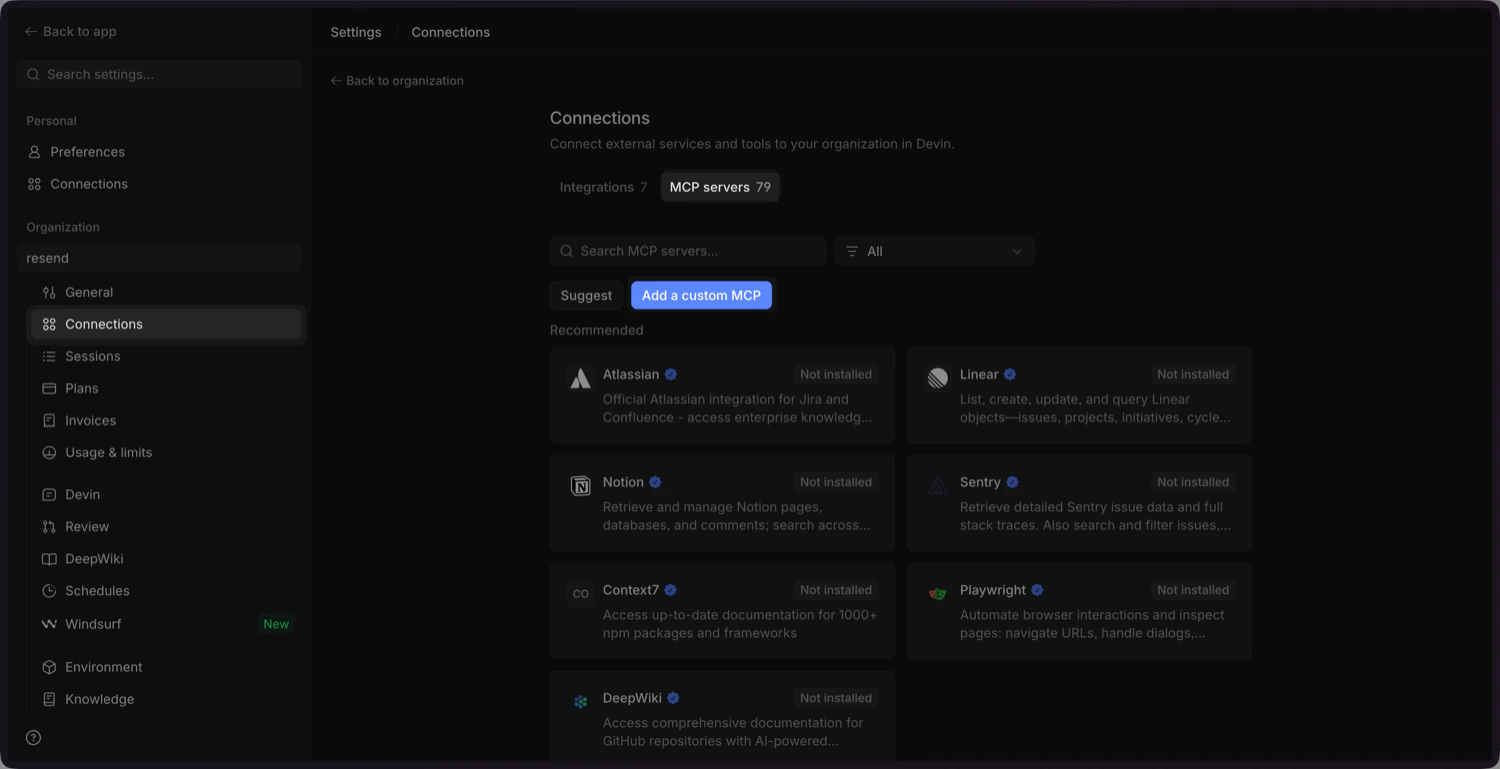
3. Add the Resend MCP configuration
Click Import JSON and paste the following configuration into the modal.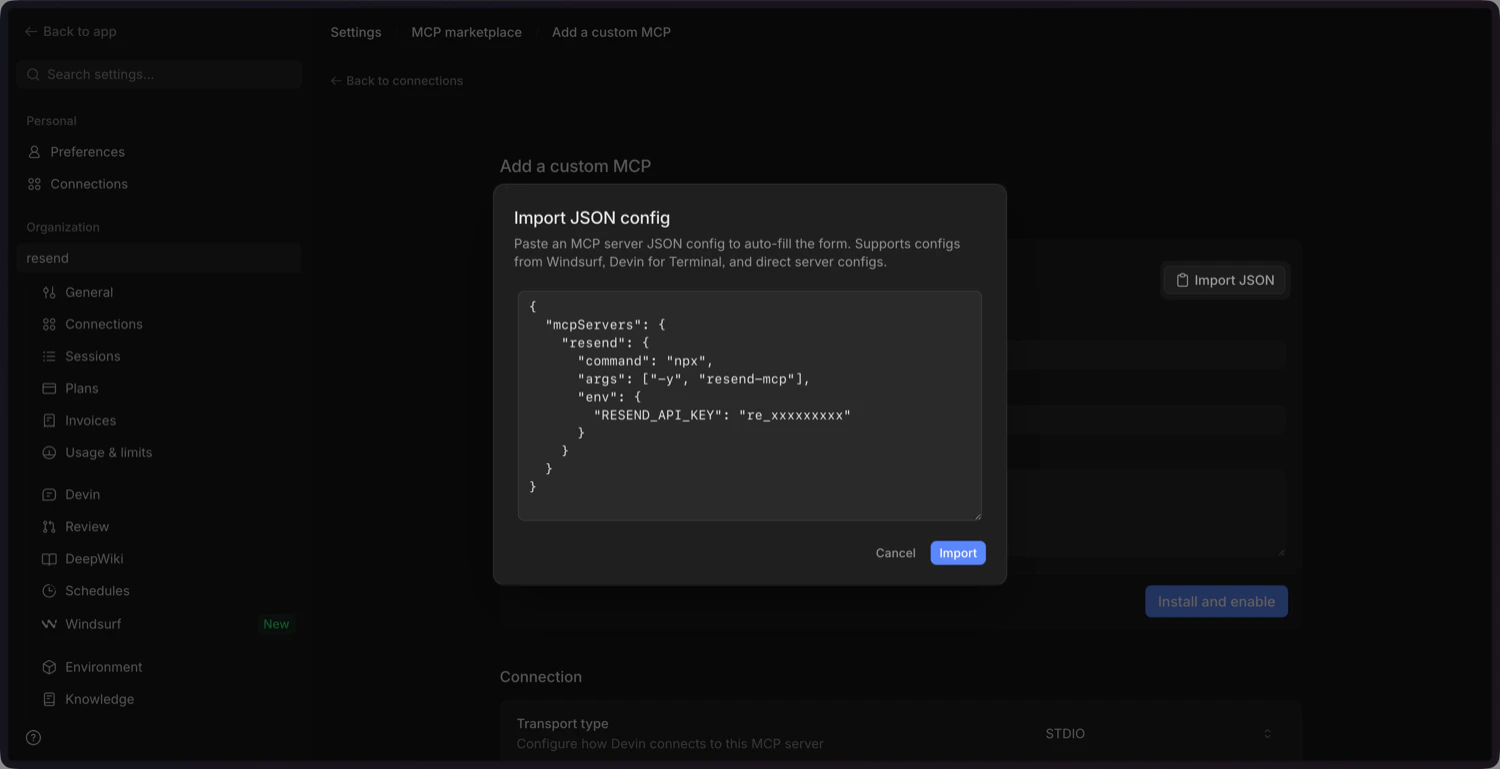
4. Update the Environment Variables
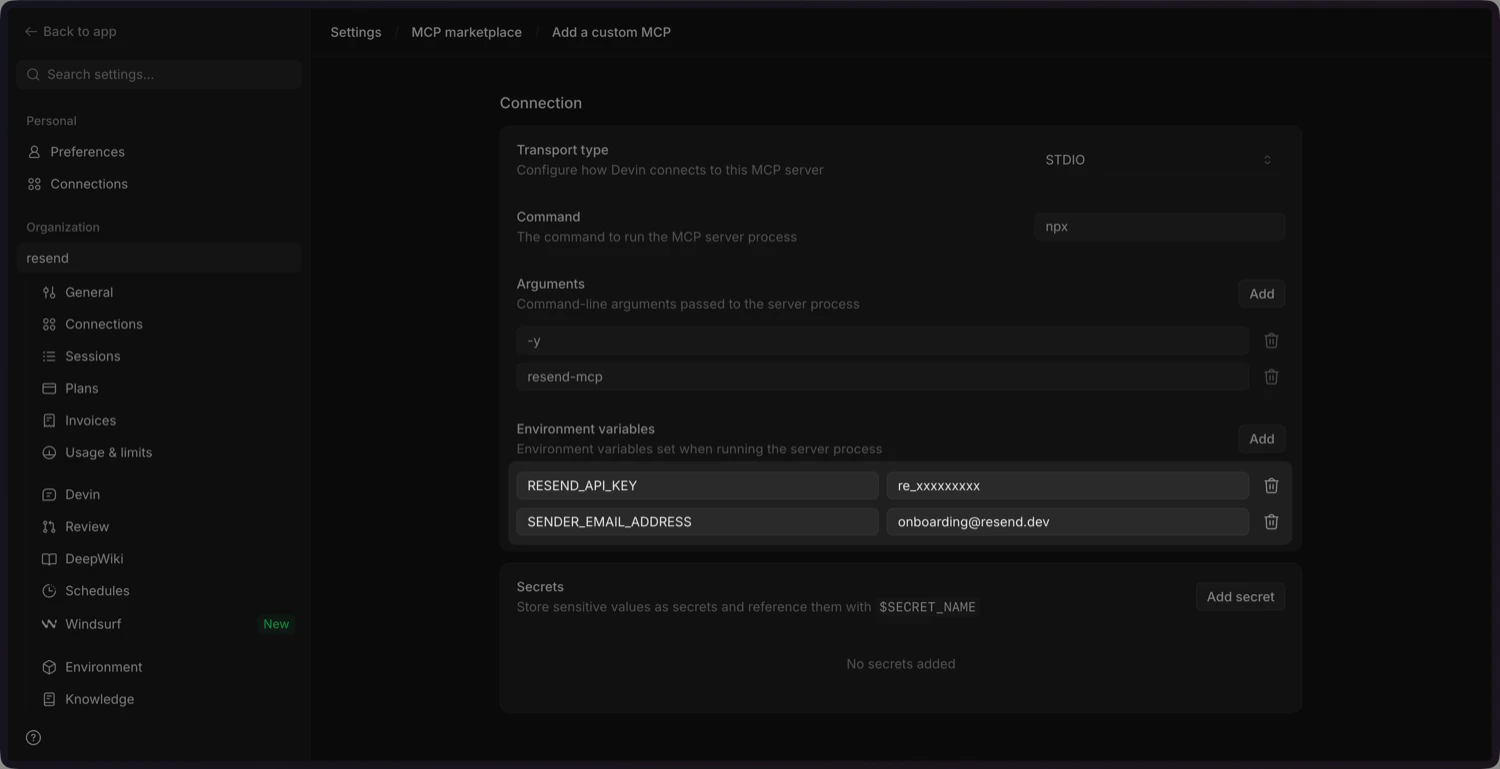
Scroll down and update the environment variables:RESEND_API_KEY: delete this and add it as a secret (below).SENDER_EMAIL_ADDRESS: update this with your sender email address you’ve verified in the Resend Dashboard.
5. Add the Resend API key as a secret
Add theRESEND_API_KEY as a secret. Click Save secret to confirm.
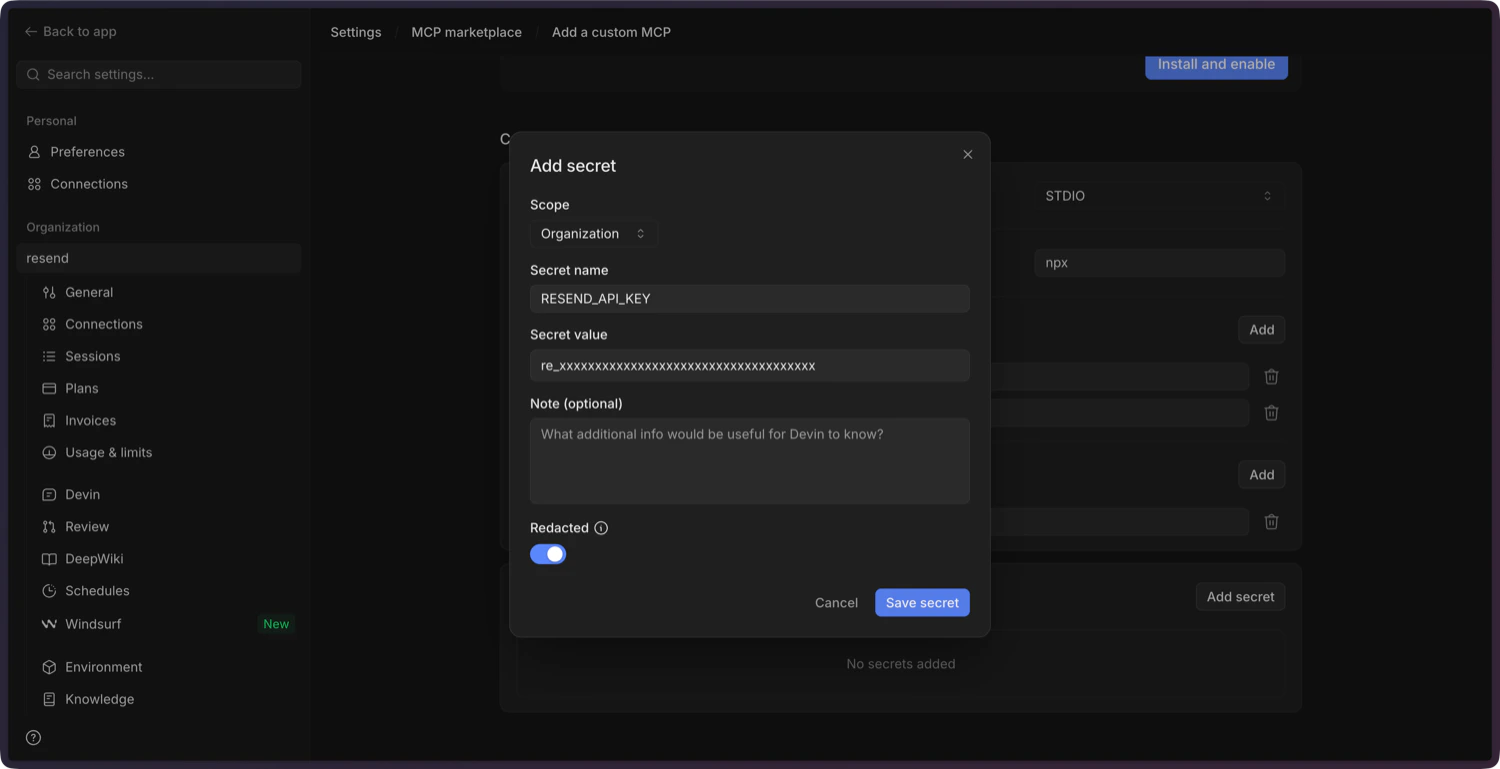
You can create a new API key in the Resend
Dashboard.
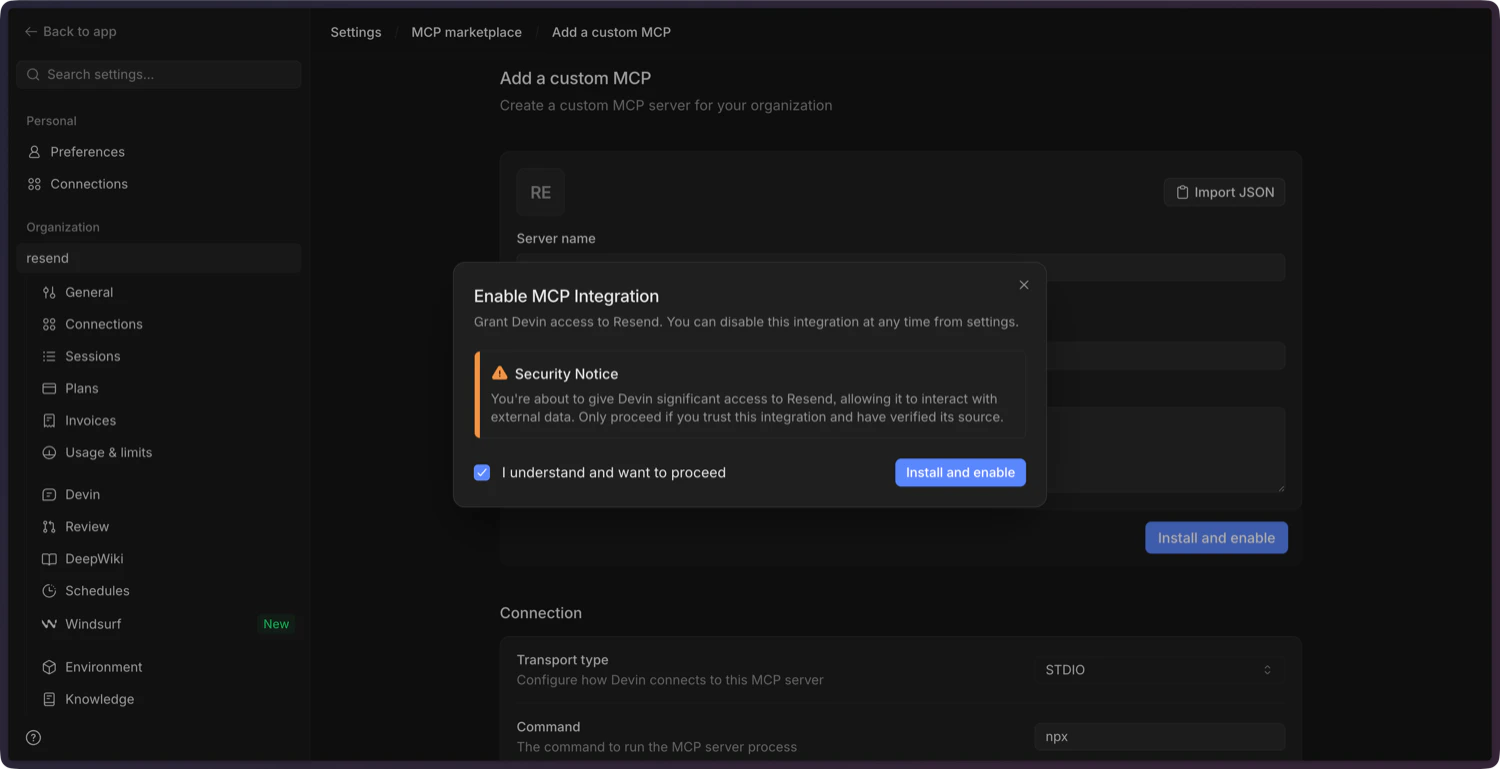
6. Confirm and enable the MCP server
Add a description, click Install and Enable, and confirm in the dialog. Devin will install the server and mark it as connected.